Getting Started with Your Dogteampro Dashboard
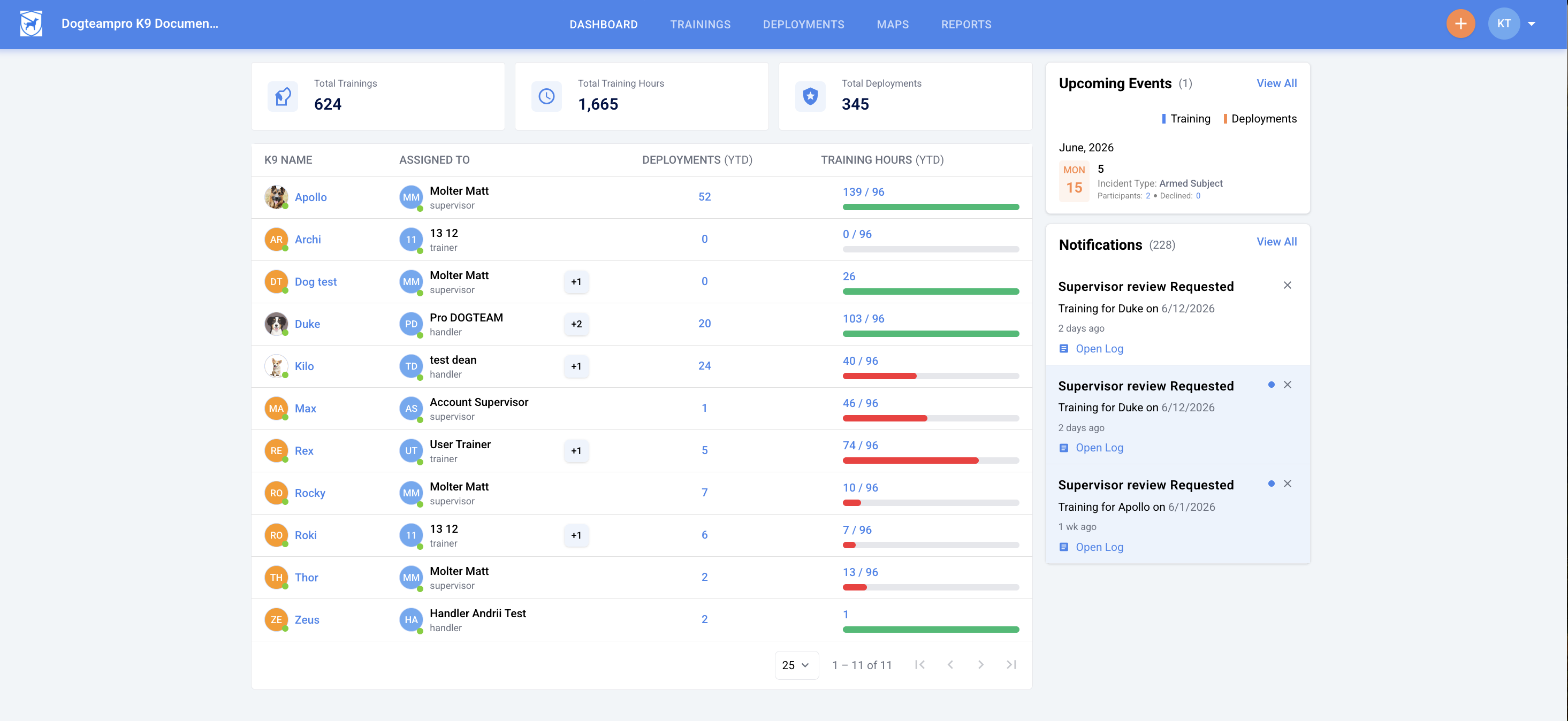
The Dogteampro Dashboard is the command center for your K9 Unit. It provides a quick snapshot of your activity and the K9s in your unit. For trainers, the dashboard also provides quick access to the other agencies you are working with.
The dashboard is organized into four key sections: Personal Statistics, K9 List, Upcoming Events, and Notifications. Here’s how each section can help you stay organized and on track:
Personal Statistics
The Personal Statistics section gives you a quick overview of your work, showing the total number of training logs you’ve completed, the hours spent on those sessions, and the number of deployment logs you’ve created. This section provides a clear overview of the time and effort you’ve put into your work.

K9 List
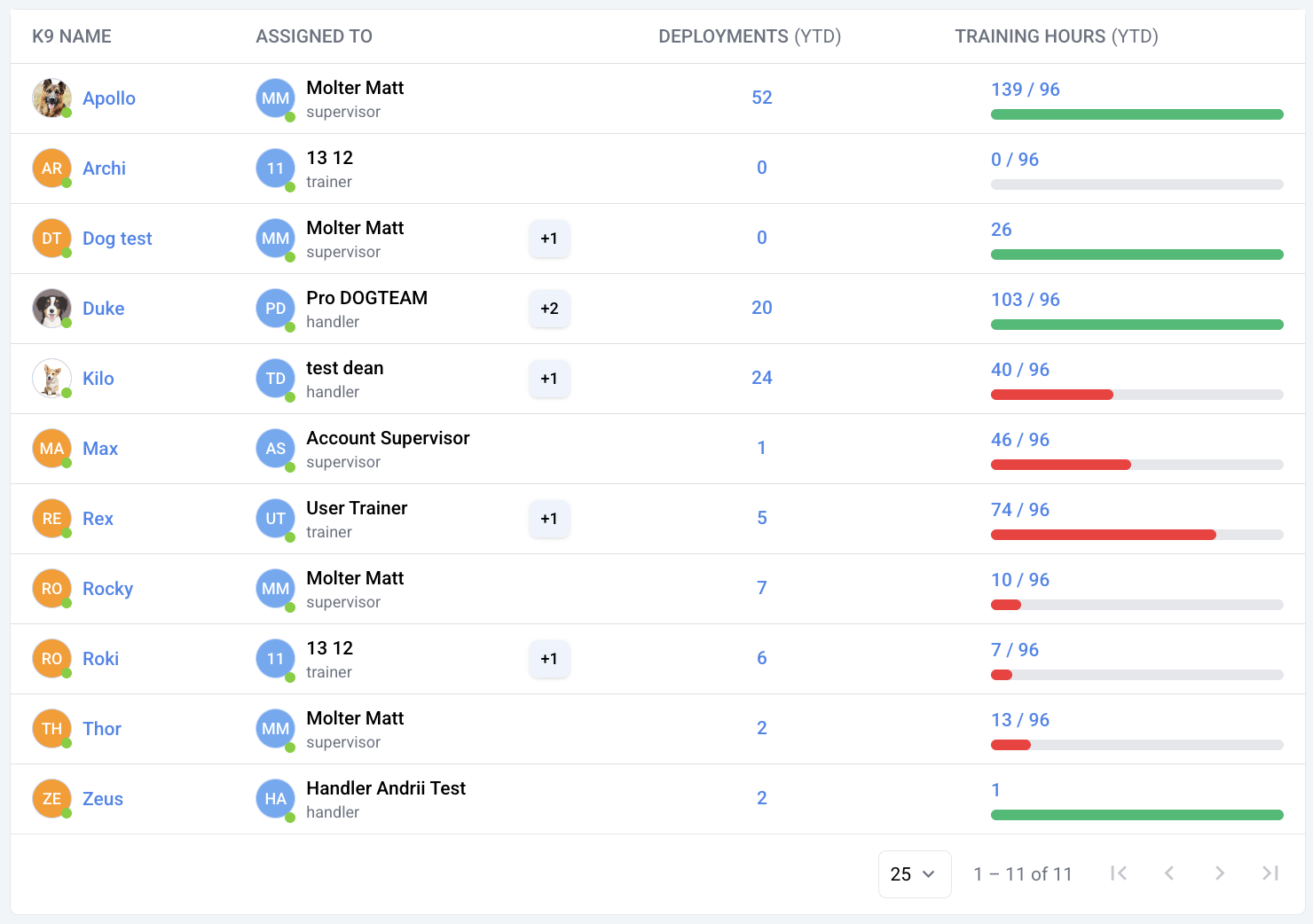
The K9 List provides an overview of your K9 program or individual K9, including their specialties, assigned handler, and total training hours logged this month.
Note: Handlers will only see their assigned K9 if access is restricted. Supervisors, trainers, or handlers with unrestricted access can view all K9 stats. Learn how to restrict Handler access.
Upcoming Events
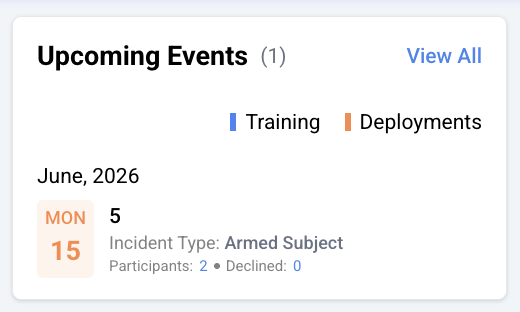
Training or deployments scheduled for a future date are displayed in this area of the Dashboard. You can click on the notification to see more details about the event.
Notifications
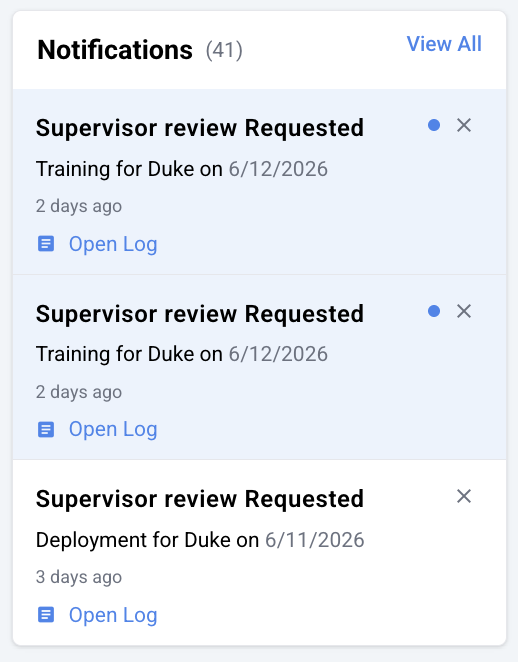
The notification area helps you stay updated with the latest information you need to act on. Whether it is your turn to review a log, have an expiring certification, or other important information, notifications will keep you on top of your todos.
Notifications will come in unread and will be marked as “read” after you click on them. You can act on the notification by clicking the blue link that will take you to the area the notification references.
External Agency Access for Trainers
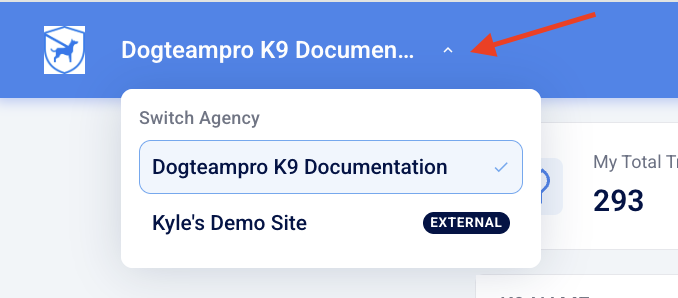
If you’ve been invited to train with other Dogteampro agencies, managing your work across multiple agencies can be done directly from your dashboard. Simply click on the agency name on the top left of your screen to switch to an external agency.
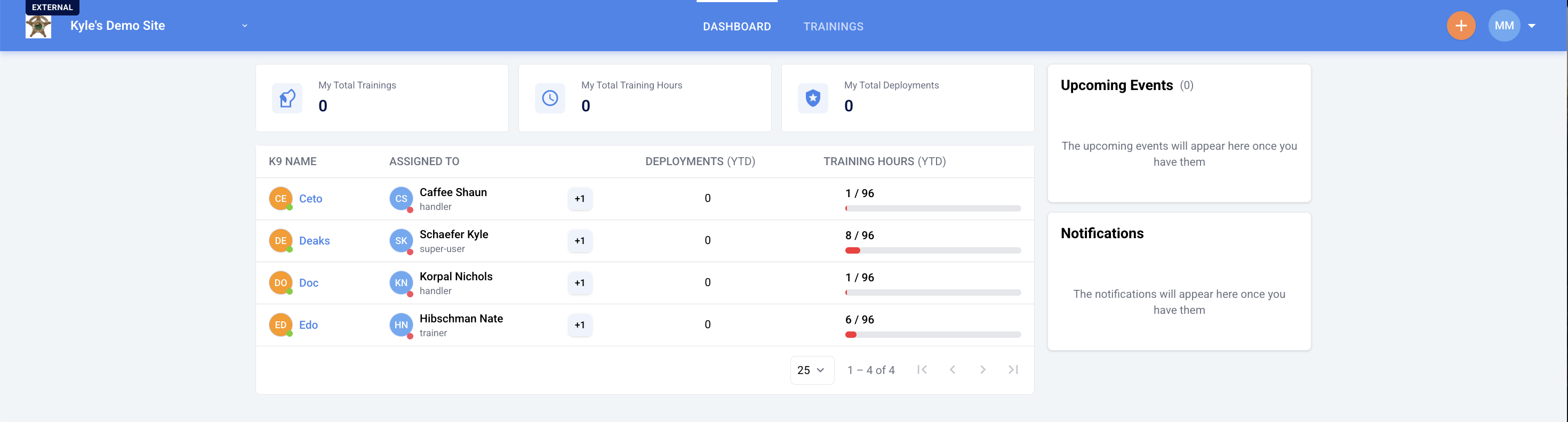
From here, the dashboard will update to show the K9 statistics from that agency. You can click on "trainings" at the top to view the training logs from that agency.
Note: To enable this feature, administrators must configure external access. For detailed instructions, see the article: How to Manage Outside Users for External Log Sharing
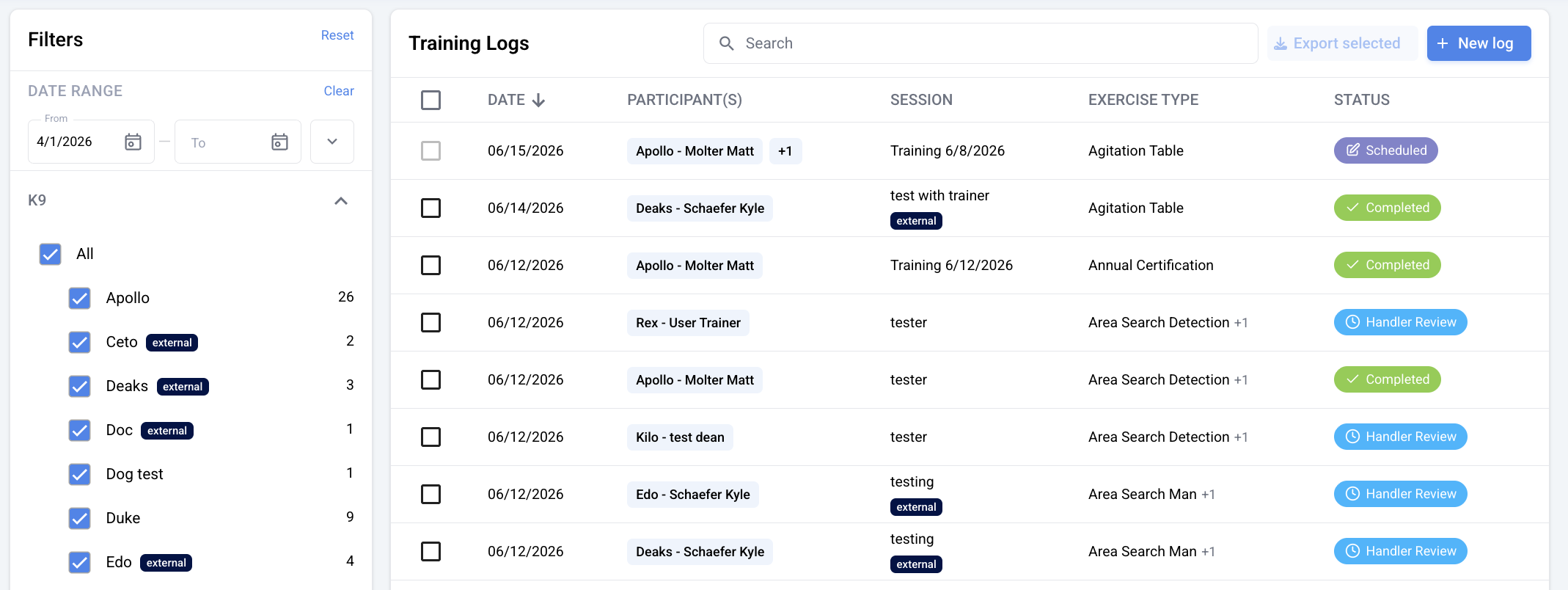
As a trainer, any logs that you create or are listed as a trainer on will also show up under the "trainings" tab on your home site. Any logs for external K9 teams will have an "external" tag beside the K9's name to help differentiate between the two.